“
Genesis Framework is now free for Everyone.”
Genesis is a renowned name in the WordPress community for being lightweight, super-fast, and standard code quality while delivering feature-rich solutions. It includes Genesis Framework, Genesis themes, Genesis Block, Genesis Custom Blocks, and more.
Genesis theme & framework is developed by
So, you may get Genesis products on the WP Engine website and you can get many Genesis themes as an additional benefit for WP Engine Hosting users.
While looking at Genesis’s official website StudioPress, you may have wondered about different products with the almost same name and confusing pricing.
(After the acquisition of different WordPress products/brands by WP Engine, they sell all premium themes & plugins in a single suite subscription, as Genesis Pro).
So, let’s understand each Genesis product; theme, plugin, framework, pricing, and how to get it in detail.
Genesis Framework
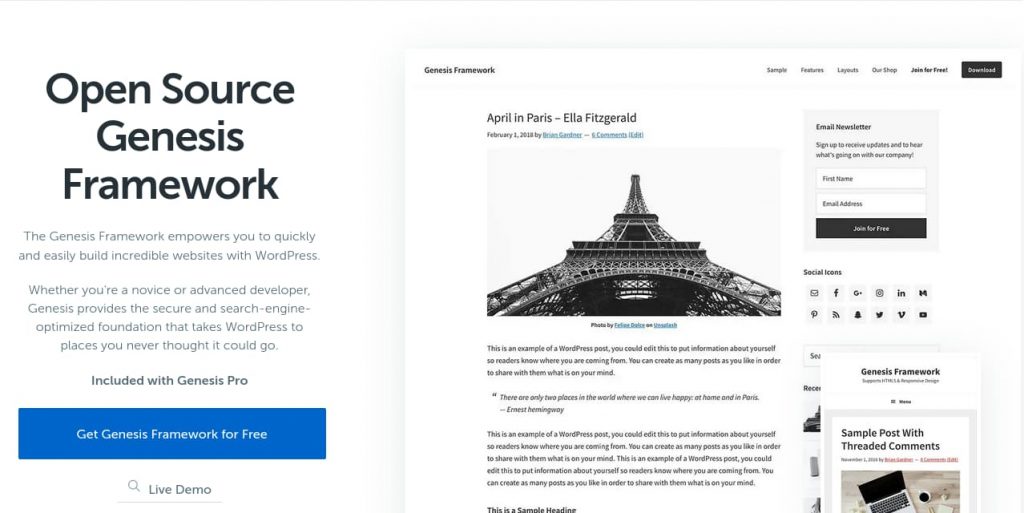
Genesis Framework maintains amazing coding standards and all code throughout the system is very clean. So, it’s very easy to extend its feature from the child theme.
Initially, it used to cost $59.95 for the framework only and $99.95 when purchasing in a bundle with a child theme.
After the acquisition of StudioPress by WP Engine they made several changes. Among which pricing of the Genesis framework is one of them. Thanks to them, it’s free now.
Genesis Theme
Genesis theme is a premium theme available through StudioPress. Each theme costs $75 when purchasing individually. However, all themes are not available to purchase individually. You have to buy a Genesis Pro subscription to get access to all Genesis Premium WordPress themes.
There is one free genesis theme from StudioPress, called
You can also find other free and premium Genesis themes from other authors.
You can get access to 10 premium genesis themes from StudioPress when using WP Engine or Flywheel hosting.
How to set up Genesis theme and Framework for free?
Installing Genesis framework and theme is as simple as installing two themes. You can follow the below step-by-step process to set up the Genesis theme.
- Download
Genesis Framework from here .
- Download Genesis free child theme, Genesis Sample Theme:
This free theme is hosted on Github, download the latest release from StudioPress Github Repo here. Select releases like genesis-sample.3.4.1.zip from the assets section instead of source code to directly use in WordPress. - Now, log in to WordPress and install Genesis Framework like other themes.
- Then, Install Genesis Sample Theme.
- Now, activate Genesis Sample Theme. This will automatically use Genesis Framework as the parent theme and it will start working.
Genesis Blocks
These provide additional options to create a different design in the WordPress block editor without writing any code.
It was initially developed by Array’s themes and called Atomic Blocks. They joined the Genesis Team after being acquired from WP Engine.
It has both free and paid versions. The free version has a number of amazing blocks like Section & Layout Block, Newsletter Block, Pricing Block, Share Icon Block, Post Grid Block, Testimonials Block, Author Profile Block, and more.
The paid version, Genesis Blocks Pro has additional advanced blocks like Device Mockup block, Portfolio block, reusable blocks, and more. You can get Genesis Blocks Pro by subscribing to the Genesis Pro suite.
Genesis Custom Block
The free version provides most of the fields required for common cases like Text Field, Image Field, URL Field, Email Field, and more.
Genesis Custom Block Pro is available with Genesis Pro subscription and provides advanced fields like Repeater Field, Taxonomy Field, Post Field, and more.
Genesis Pro
It costs $360 per year. You can use all these themes and plugins on unlimited sites of any hosting.
Genesis Product Suite Pricing Summary
- Genesis Framework is available for Free and there is no pro version.
- Genesis Sample theme is the only free theme from StudioPresss. You can also find many different free Genesis themes from other authors.
- Each Genesis premium theme costs $75, you can get access to all themes when purchasing a Genesis Pro subscription.
- Genesis Blocks is available for free and it has a premium version, Genesis Block Pro, which we can get only when purchasing Genesis Pro Subscription.
- Genesis Custom Block is available for free and it also has a premium version called Genesis Custom Block Pro which we can buy only through Genesis Pro subscription.
- Genesis Pro cost $360/year and it includes access and support to all StudioPres product like Genesis Premium themes, Genesis Block Pro, Genesis Custom Block Pro.
- You can get accessed to 10 premium genesis themes from StudioPress when using
WP Engine or Flywheel hosting.